
BN-LINK Digital Heating Thermostat Controller for Terrariums
$18.99
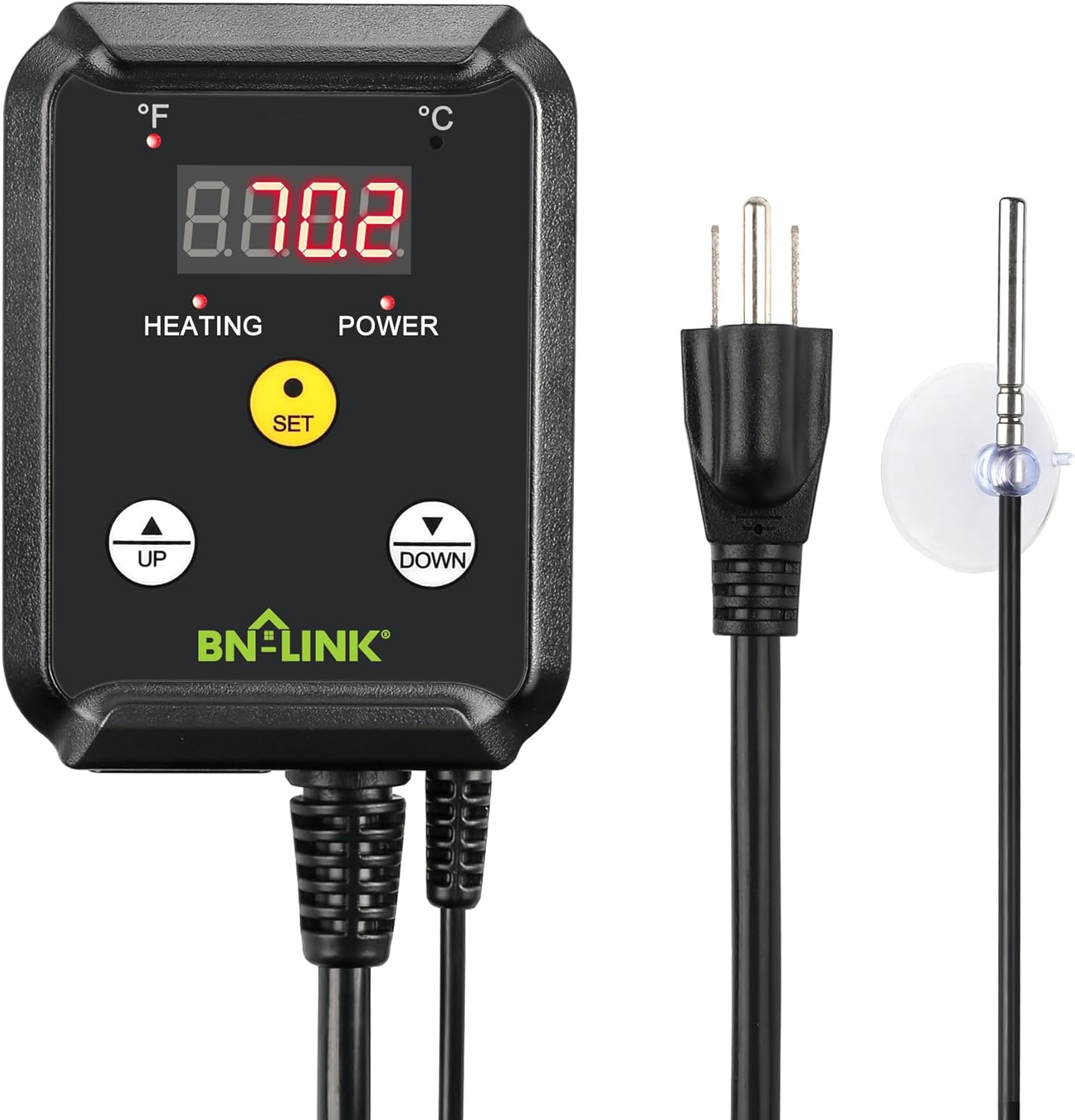
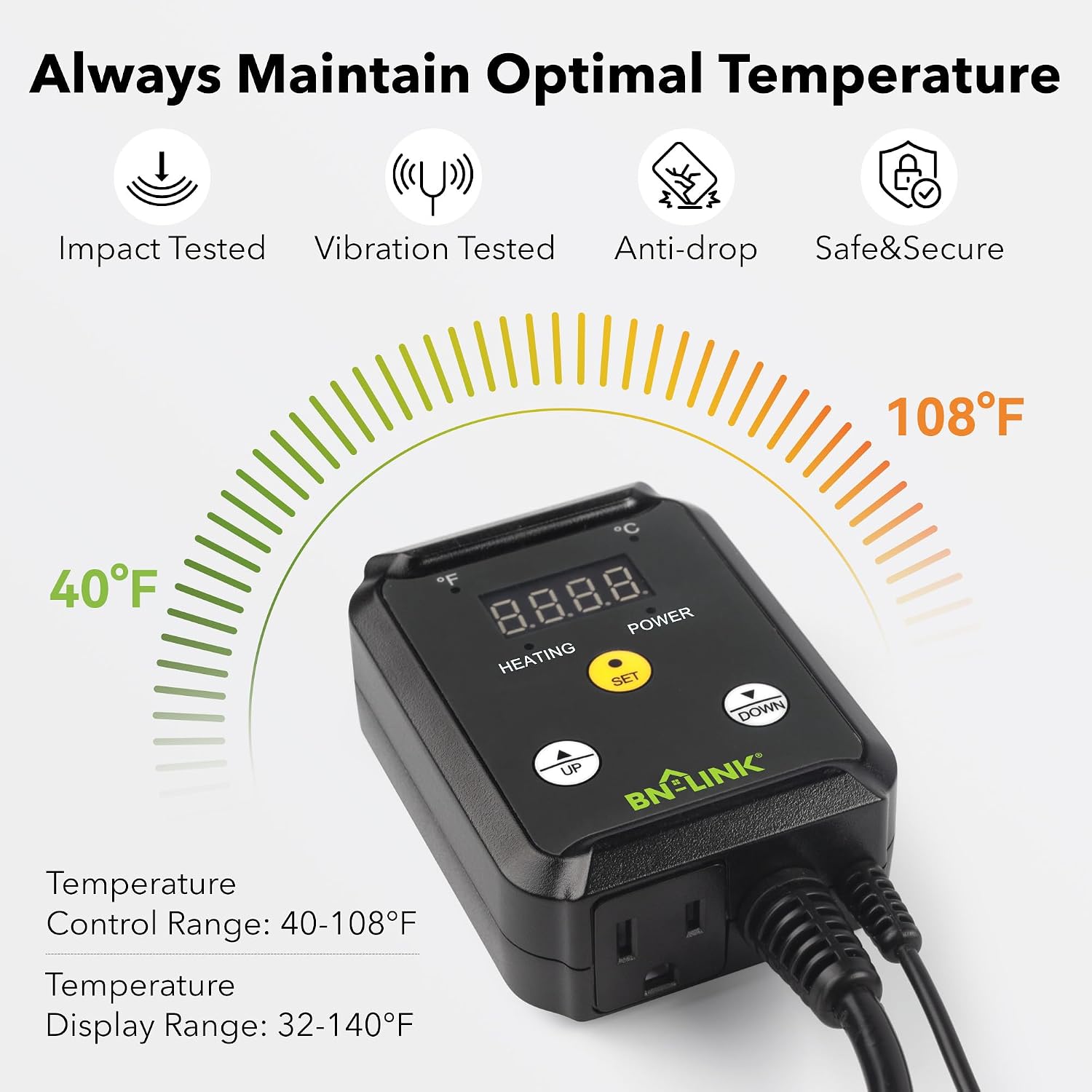
This BN-LINK digital heating thermostat controller is designed to maintain consistent temperatures for your reptile or terrarium heating equipment. It features a clear LED display for easy temperature monitoring and adjustment.
- In stock — ready to ship
- Free shipping over $35 · $3.99 under
- Returns within 30 days
- Delivery 5–10 business days (Mon–Sat)
Overview
Maintaining a stable and appropriate temperature is essential for many reptile habitats, and the BN-LINK Digital Heating Thermostat Controller offers a practical solution. This device is specifically engineered to manage heating elements within your terrarium setup, helping to provide a consistent environment for your scaly companions. It acts as a central control unit, allowing you to set and monitor the temperature with clarity and precision. The visible LED display presents temperature readings in either Fahrenheit or Celsius, giving you flexibility based on your preference.
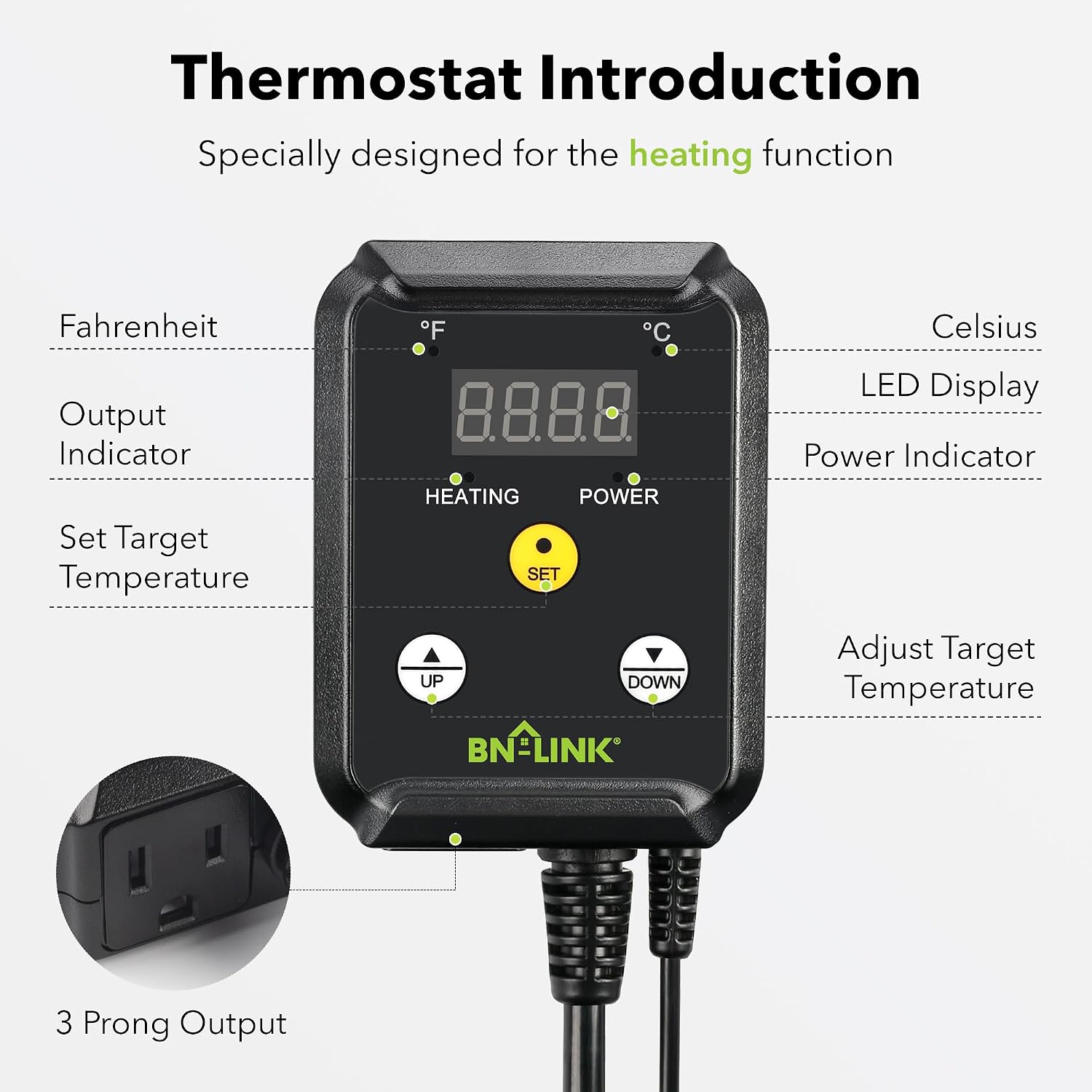
This thermostat controller is a valuable addition to any terrarium where precise heat regulation is desired. It helps you prevent temperature fluctuations that can occur with uncontrolled heating devices. The straightforward design, featuring clearly labeled ‘UP’, ‘DOWN’, and ‘SET’ buttons, makes it accessible for both experienced reptile keepers and those new to the hobby. Its compact form factor means it won’t take up excessive space in your setup, yet it provides robust functionality for managing your heating needs.
Key features
Specifications
| SKU | ELI-0020 |
|---|---|
| Category | Thermostats, Dimmers & Timers |
How to use & care
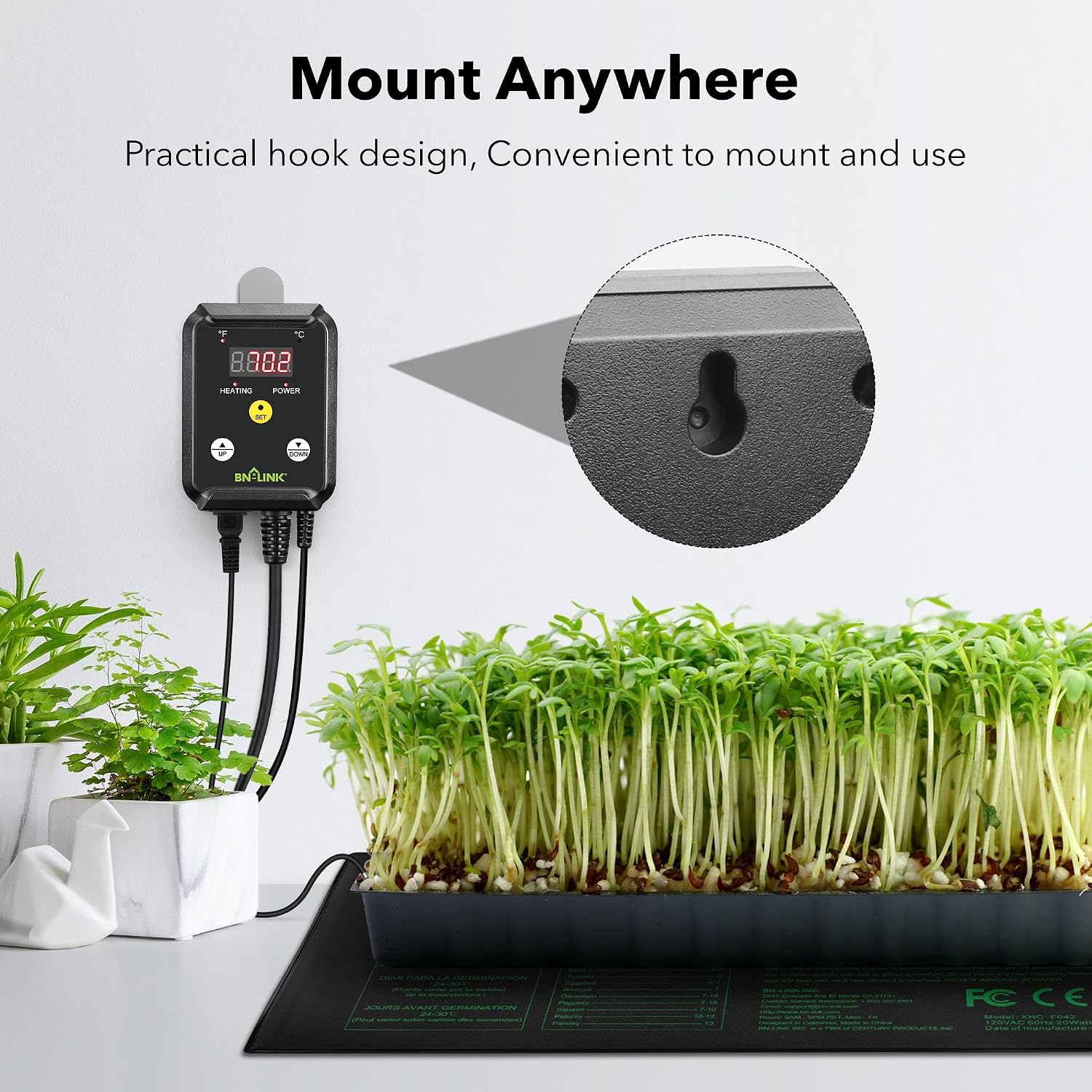
Using the BN-LINK Digital Heating Thermostat Controller is a straightforward process. First, plug your heating device (such as an under-tank heater or ceramic heat emitter) into the 3-prong output on the side of the controller. Next, position the temperature probe inside your terrarium, ensuring it is in a location that accurately reflects the ambient temperature you wish to control. Avoid placing the probe directly on a heating element or in direct contact with water unless it is specifically designed for immersion. The probe includes a suction cup for secure placement.
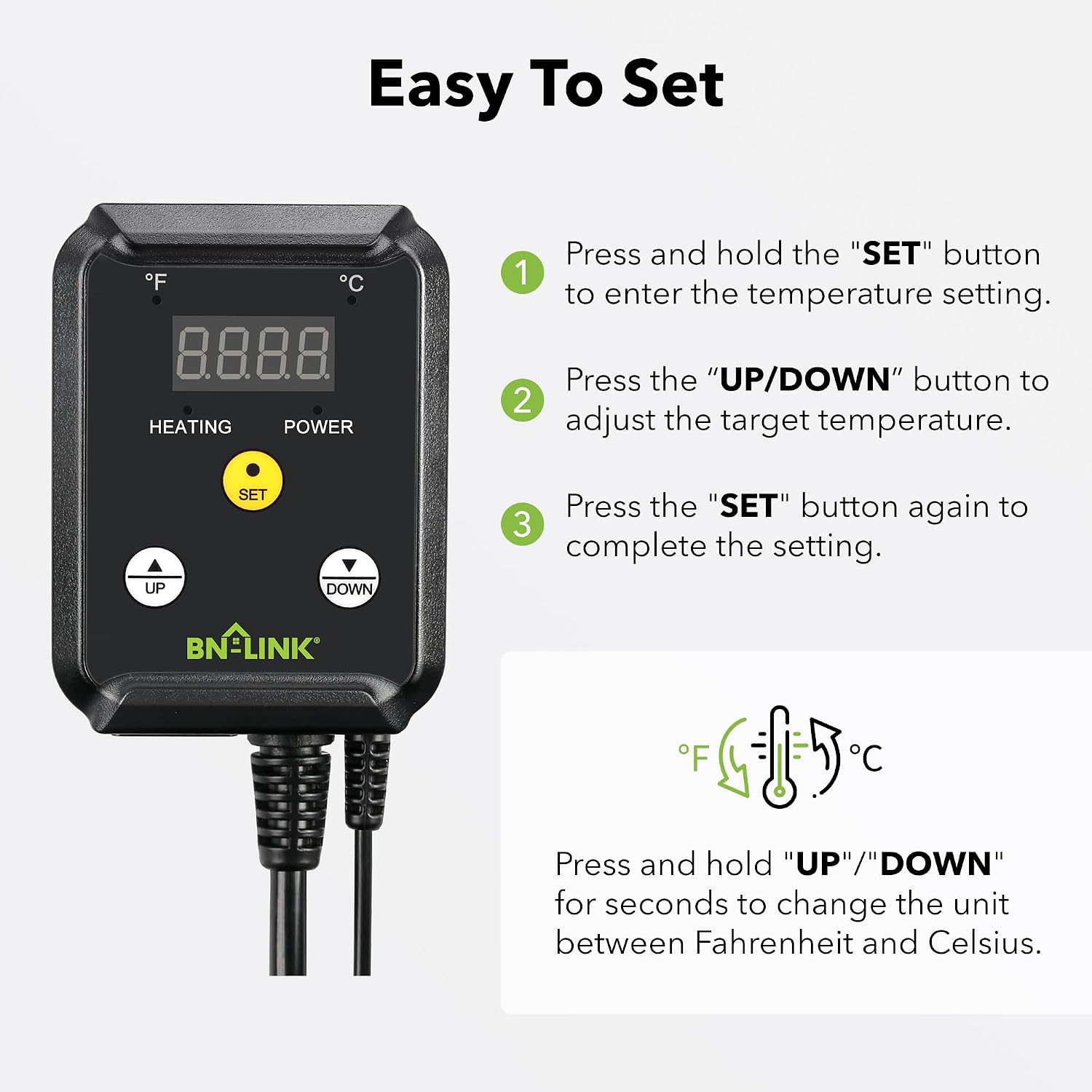
Once the heating device is connected and the probe is placed, plug the thermostat controller’s power cord into a wall outlet. The LED display will light up, showing the current temperature. To set your desired temperature, press the ‘SET’ button, then use the ‘UP’ and ‘DOWN’ arrows to adjust the target temperature. Press ‘SET’ again to confirm. The controller will then cycle your heating device on and off to maintain this set temperature. Periodically, gently wipe the controller’s surface with a soft, dry cloth to remove dust. Ensure all connections are secure and inspect the probe and cords for any visible damage during routine terrarium maintenance.
Why choose this
FAQs
What is the primary function of this BN-LINK Digital Heating Thermostat Controller?
This controller is specifically designed to regulate and maintain a consistent temperature for heating devices within a terrarium or similar enclosure. It allows you to set a target temperature, and it will automatically turn your connected heating element on or off to keep the environment within that desired range.
Can I use this controller for cooling devices as well?
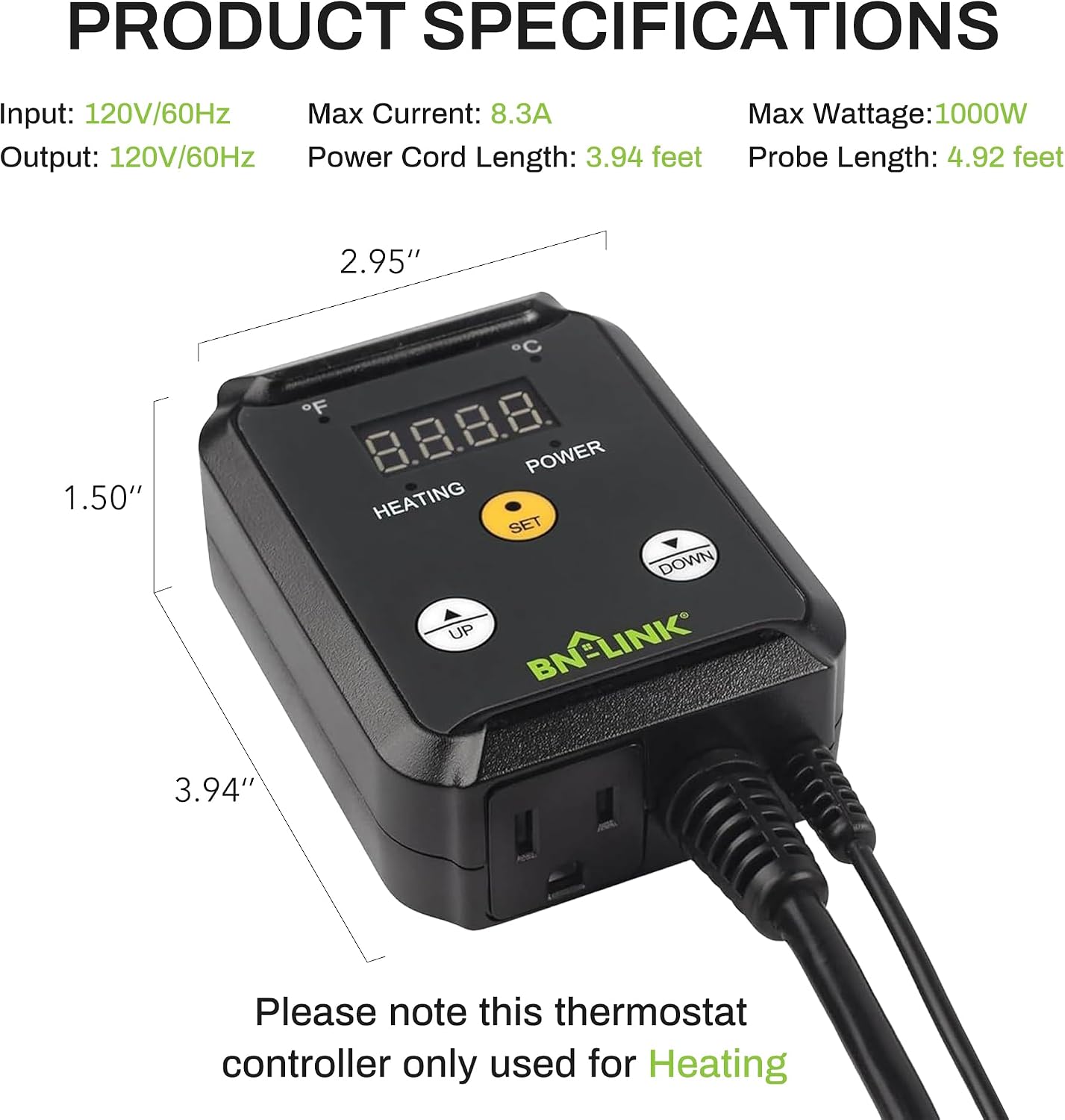
No, this particular BN-LINK Digital Heating Thermostat Controller is designed exclusively for heating applications. The product information and indicators clearly state its function is for ‘HEATING’ and it does not have features to control cooling equipment. Using it for cooling is not advised.
How do I switch between Fahrenheit and Celsius displays?
The image indicates that both Fahrenheit (°F) and Celsius (°C) symbols are present on the display, suggesting a toggle function. Typically, this is achieved by holding down the ‘SET’ button for a few seconds, or by a specific combination of button presses. Refer to the included instructions for the precise method to switch between temperature units on your specific unit.
Related products